

Download Gallery APK – free, mobile tool, image viewer, video editor, photo editor, file viewer
Overview
Gallery APK is a free mobile application developed by SB studio, designed to serve as a comprehensive media management tool for Android devices. It functions as both a file viewer and an editing utility, enabling users to access, organize, and modify images and videos stored on their mobile devices. The app aims to enhance the default gallery experience by introducing additional customization and editing capabilities not typically found in standard gallery applications. Its primary purpose is to simplify media access and empower users with basic yet practical editing tools directly within the app.
Target users include casual mobile users, photographers, and content creators who need quick access to their media files and wish to perform minor edits without switching to external applications. The app supports a wide range of image and video formats, allowing seamless viewing of files regardless of their origin or storage location. Real-world usage scenarios include organizing personal photo albums, editing images for social media, creating animated galleries, and securing private media through hidden vaults. While the app offers several functional benefits, user experience may be affected by frequent advertisements, a known concern reported by some users.
Key Features & Capabilities
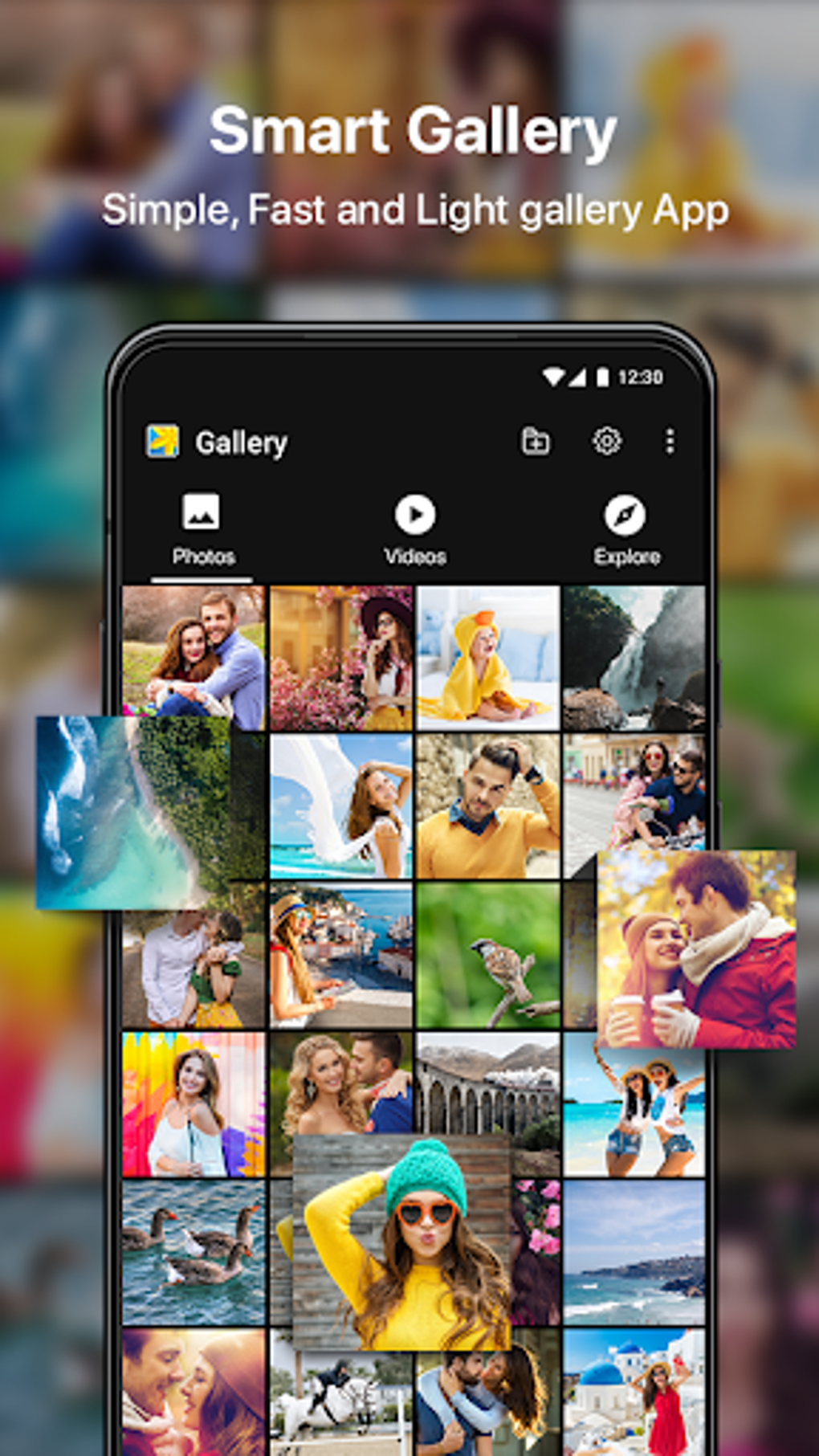
- Media Viewing & Organization – View images and videos across all device storage locations, including internal memory and SD cards. The app supports multiple file formats, ensuring broad compatibility with common media types.
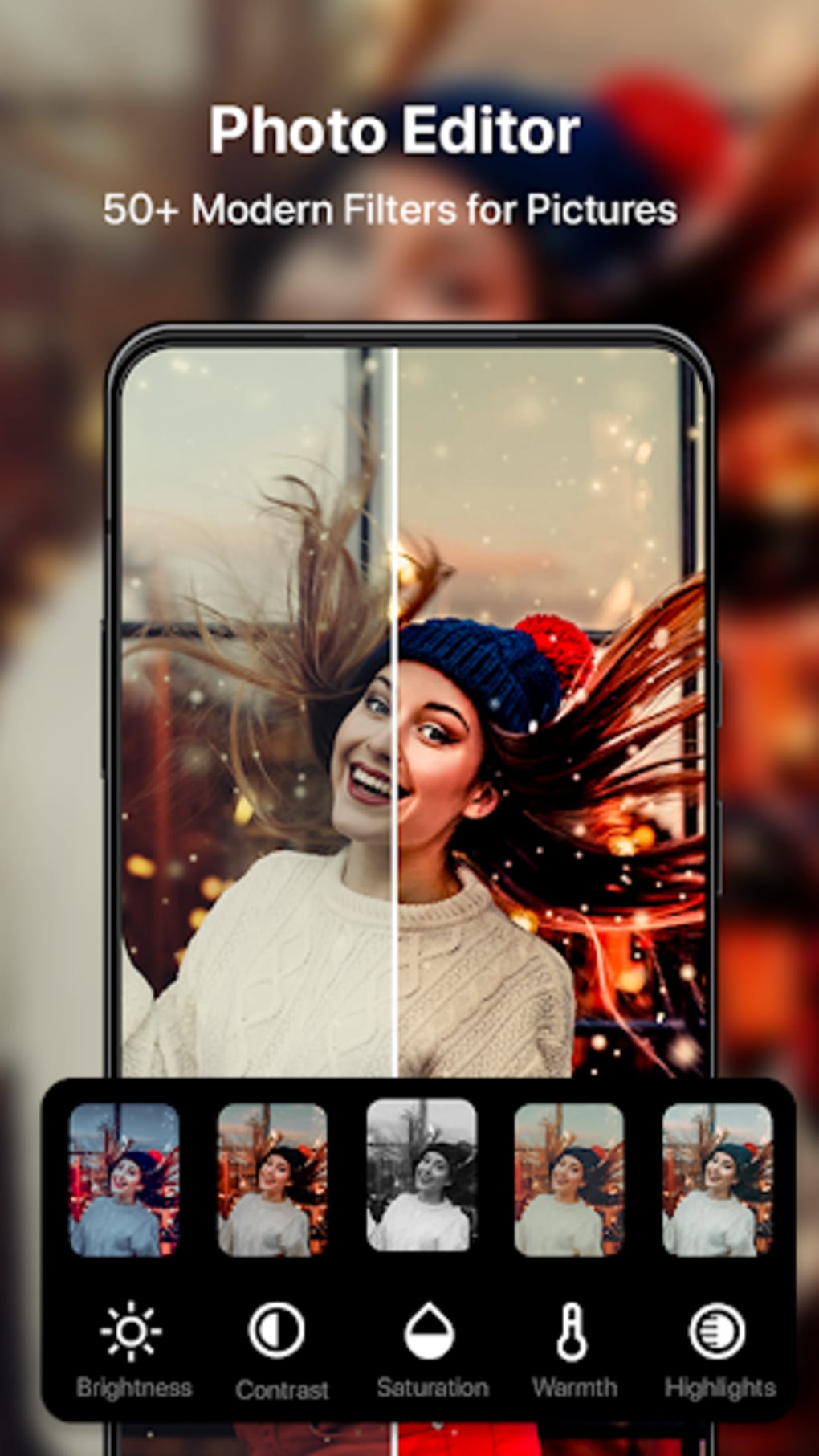
- Image Editing Tools – Perform basic edits such as cropping, resizing, applying filters, adding text with various fonts, inserting stickers, and drawing directly on images using touch input.
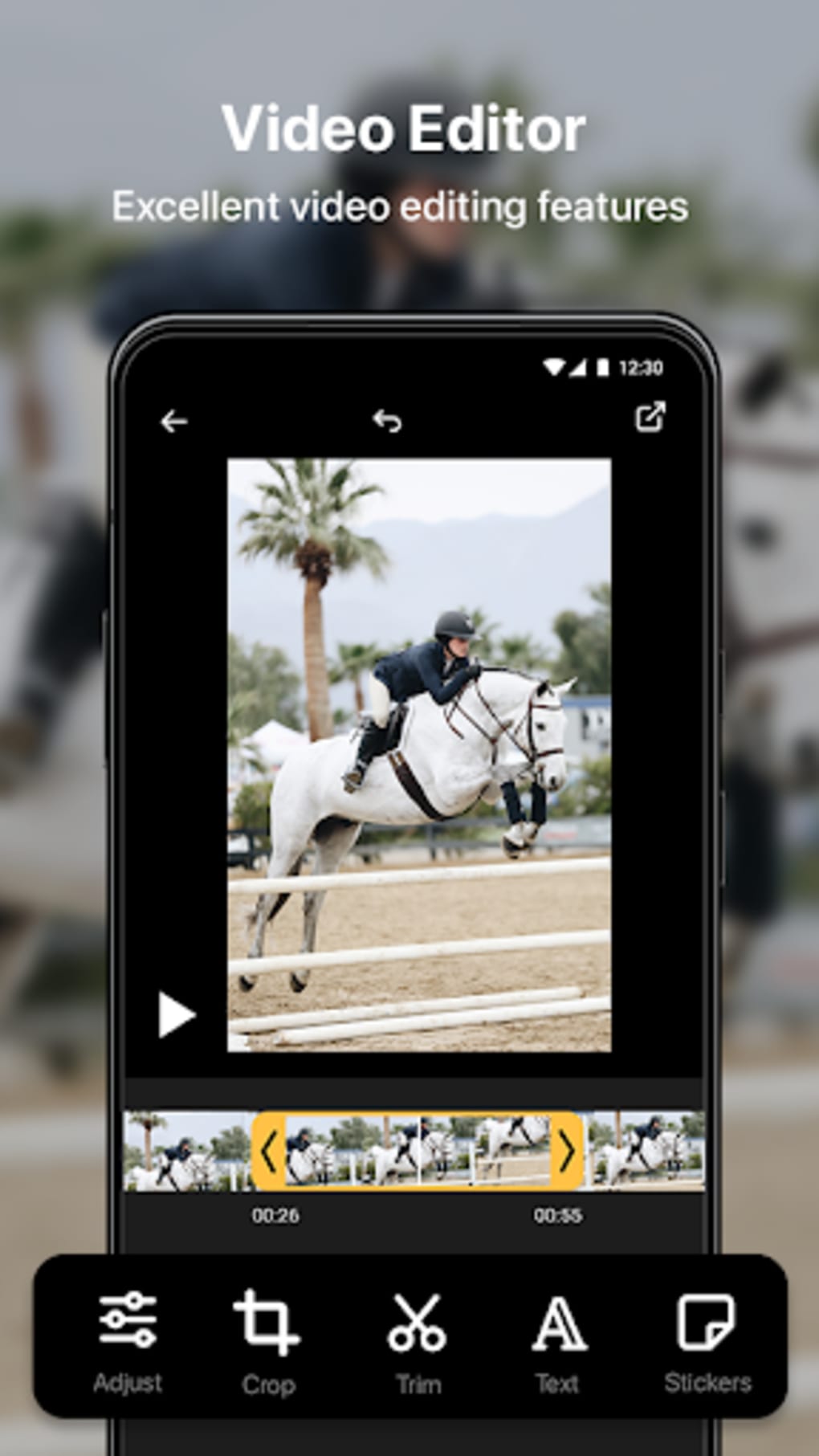
- Video Playback & Basic Editing – Play videos directly within the app and apply limited editing functions such as trimming or adjusting playback settings, though advanced video editing is not supported.
- Animated Galleries & Photo Albums – Create dynamic, animated photo displays and custom albums for sharing or personal enjoyment.
- Gallery Lock & Photo Vault – Hide sensitive or private media files behind a secure lock, protecting them from unauthorized access.
- Integrated Camera Access – Use the app to quickly access and review captured photos during or after photography sessions.
These features are particularly useful for users who prefer a single, all-in-one solution for viewing and modifying media files. The ability to edit images on the go and organize them into themed albums enhances workflow efficiency for social media content creation and personal photo management. The inclusion of a secure vault caters to privacy-conscious users who want to protect sensitive content.
User Interface, Workflow & Performance
The user interface of Gallery APK is designed with simplicity and accessibility in mind, featuring a clean layout that prioritizes media visibility. Navigation is intuitive, allowing users to browse through folders, view thumbnails, and access editing tools with minimal steps. The app’s workflow is optimized for touch-based interaction, making it easy to select, preview, and edit media files directly on the screen.
While the app’s performance is generally responsive during basic operations like viewing and editing, the developer did not specify resource usage details. Performance observations are based on general software behavior patterns. Users may experience minor delays when handling large image files or high-resolution videos, though this is typical for mobile applications with similar functionality. Stability appears consistent across standard usage, but the presence of frequent pop-up ads may disrupt workflow and impact perceived performance. The app does not report any known crashes or freezing issues, but ad interruptions could affect user focus during editing tasks.
Compatibility & System Requirements
Gallery APK is designed for Android devices and is available as an APK file for direct installation. The app supports a wide range of Android versions, though exact compatibility details were not listed. Installation size and specific hardware requirements were not provided by the developer. Users should ensure their device meets general Android system standards for running third-party applications.
Platform compatibility information is limited, and the developer did not specify minimum CPU, RAM, or storage requirements. The app may function on devices with moderate specifications, but performance may vary depending on device capabilities and background processes. For optimal results, users are advised to install the app on devices with sufficient storage and memory to handle media files efficiently.
Pros and Cons
Pros
- Free to download and use with no upfront cost
- Supports a wide range of image and video formats
- Offers basic yet useful editing tools including filters, stickers, and text overlays
- Includes a secure photo vault for privacy protection
- Enables creation of animated galleries and custom albums
- Integrated camera access for faster photo review
Cons
- Frequent pop-up advertisements that disrupt user experience
- Limited video editing capabilities compared to dedicated tools
- No detailed system requirements or performance metrics provided
- App may feel unoriginal compared to other gallery alternatives
- Pro version required to remove ads, which adds cost for uninterrupted use
FAQ Section
Is Gallery APK safe to download and install?
Yes, the app is available as a free APK file from trusted sources. However, users should ensure they download from reputable platforms to avoid modified or malicious versions.
Can I use Gallery APK without an internet connection?
Yes, the app functions fully offline. All media viewing and editing features are available without requiring an active internet connection.
Does Gallery APK support all image and video formats?
The app supports common media formats, but the developer did not specify a complete list. Some rare or proprietary formats may not be compatible.
How do I remove ads from Gallery APK?
Ads can be removed by upgrading to the Pro version, which is available for purchase within the app.
Is the Photo Vault secure?
The app includes a built-in lock feature to hide files, but the exact encryption method was not disclosed. Users should treat it as a basic privacy tool rather than a high-security solution.
Final Thoughts
Gallery APK presents itself as a functional and accessible mobile tool for managing and editing media files on Android devices. While it offers a solid set of features including image editing, video playback, secure vaults, and animated galleries, its user experience is significantly impacted by the high frequency of pop-up advertisements. The app’s core functionality is reliable and useful for casual users seeking a no-frills solution for organizing and modifying photos and videos. However, its lack of advanced editing tools and limited transparency regarding system requirements may deter more demanding users.
Despite its shortcomings, Gallery APK remains a viable option for those who prioritize accessibility and basic functionality over premium features. If you’re looking for a free, straightforward way to view, edit, and protect your media files on your mobile device, this app may meet your needs—especially if you’re willing to tolerate ads or upgrade to the Pro version. For users seeking a more polished and ad-free experience, alternative gallery apps may offer better value.
Download Gallery APK now





.png)

